
Connections
The Connections section of the management dashboard holds two kinds of link:
- Data sources — inbound: the Amazon accounts Selltics reads from. Amazon Ads and Amazon Selling Partner can be connected; Shopify and Walmart are shown as Planned and cannot.
- Integrations — outbound: the chats Selltics answers and notifies in. Telegram is live, Slack is Planned. Integrations are covered on AI analyst.
The overview
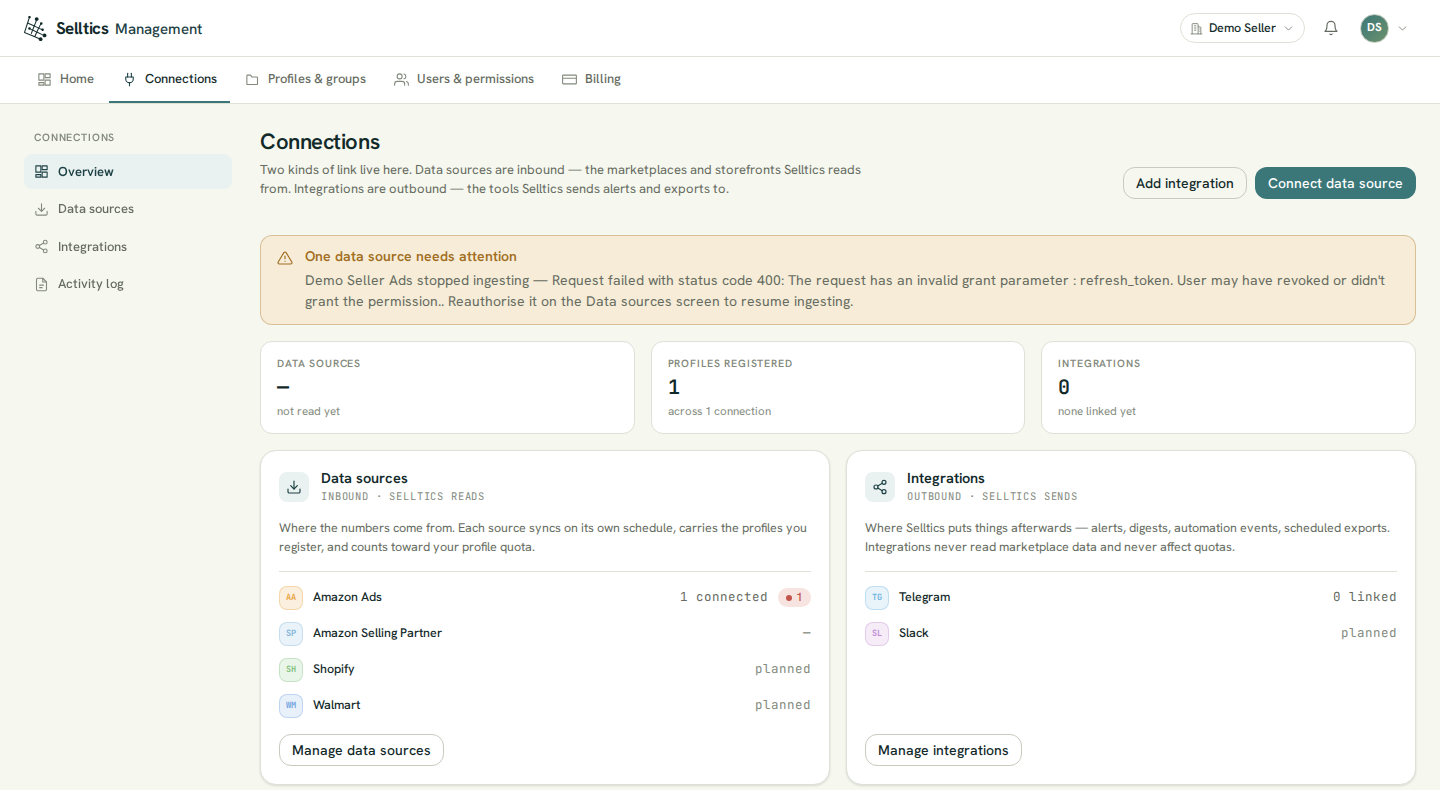
The banner at the top appears when something needs you:
- an Amazon Ads connection that Amazon stopped accepting (Reauthorise) or that was revoked;
- a Selling Partner connection waiting for consent again;
- a connection flagged as the same Amazon account connected twice — Selltics allows it, and this flag is the only warning.
It names each connection with the reason Amazon gave. A tile whose list has not been read yet shows a dash, not 0.
Data sources
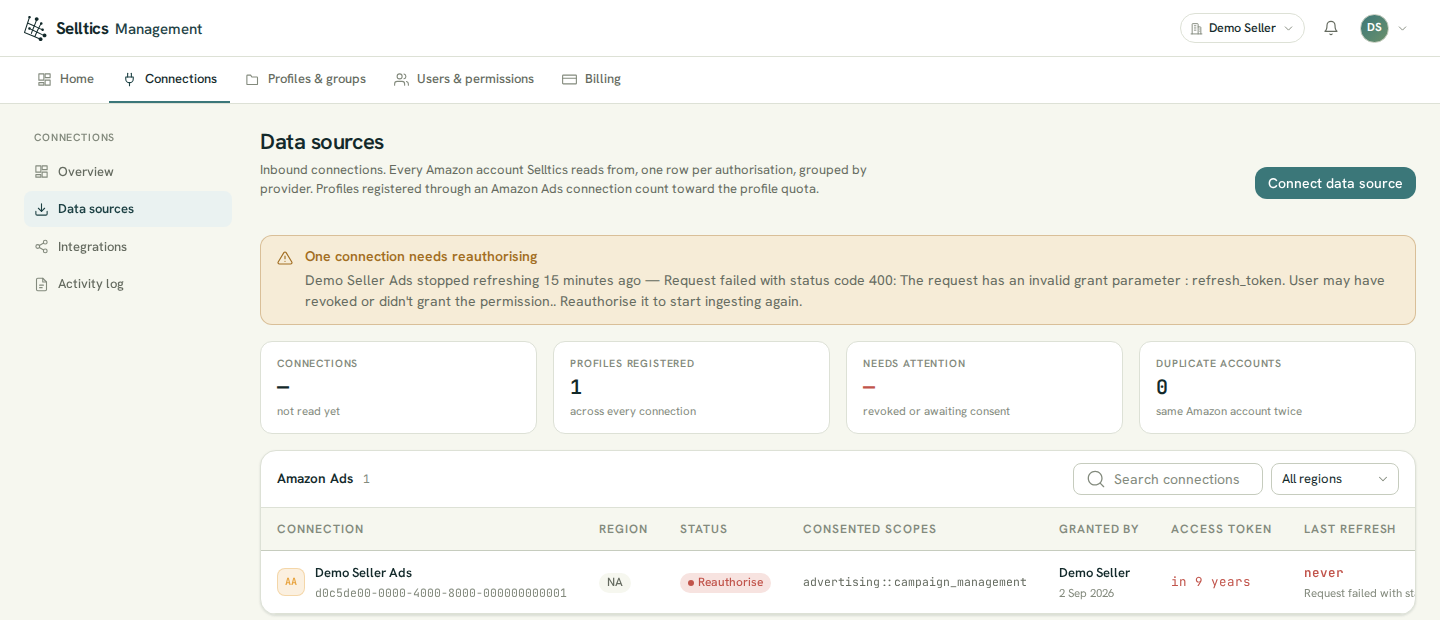
Each provider has its own table. For Amazon Ads it shows:
- the region and the status;
- the scopes you consented to;
- who granted the connection and when;
- the last refresh, with Amazon's error message when it failed.
The Amazon Selling Partner table shows the seller account, its region, how many of its marketplaces are added as profiles (n of m added), the status and a Sandbox badge where it applies. A dash in a tile means that list has not been read yet.
Connecting Amazon Ads
Connect data source → Amazon Ads asks for the Amazon region your advertising account lives in, and optionally a name for the connection (up to 120 characters):
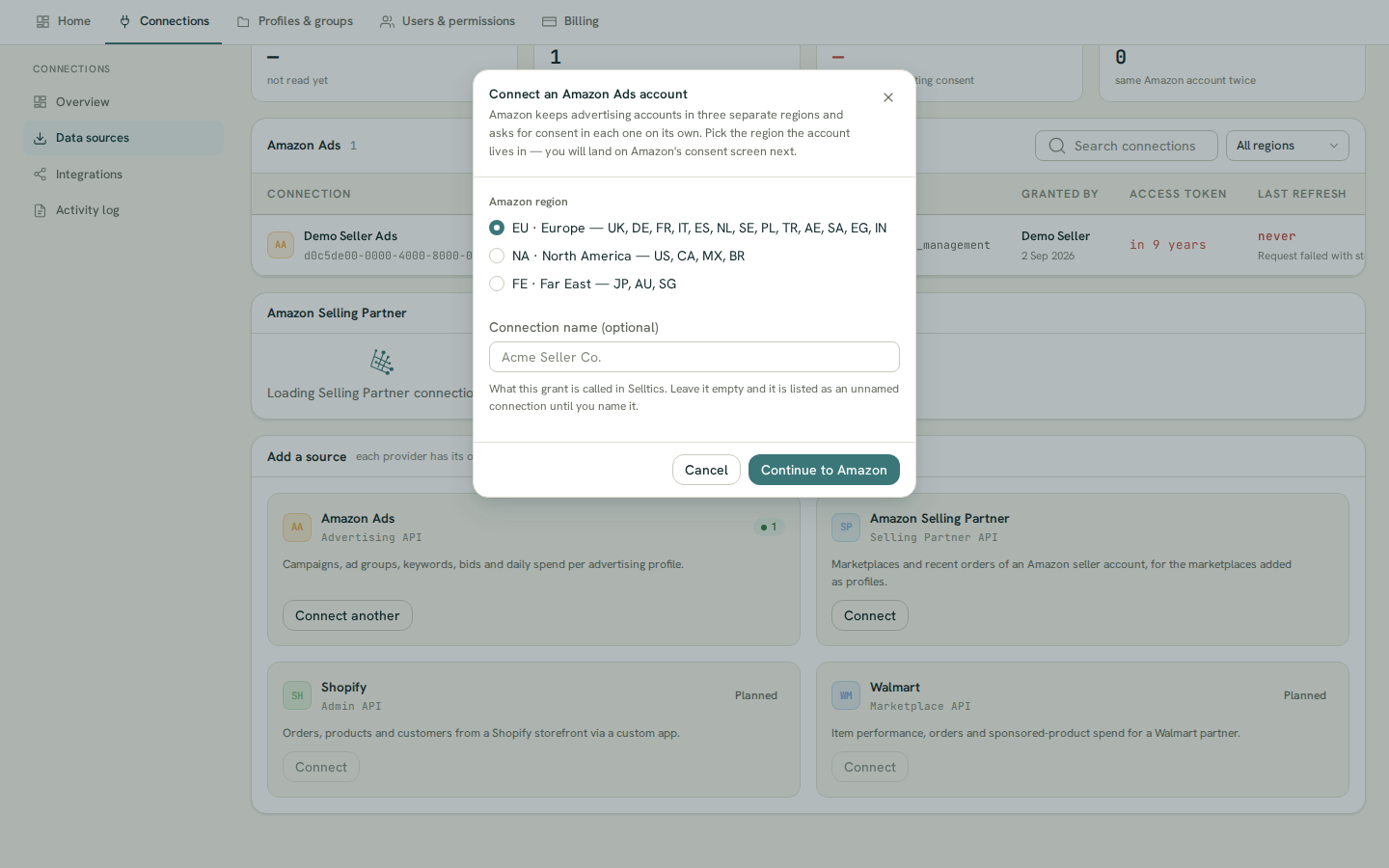
- Continue to Amazon takes you to Amazon's consent screen.
- Amazon then sends you back to Data sources with the outcome in a banner: connected, or denied, expired, refused or failed.
Amazon keeps the three regions apart (see Marketplaces and regions), so a login with accounts in two regions needs two connections.
Bookmarked links
Start the flow from the dashboard rather than from a bookmarked link: the organization you act in travels with the request, not in the address.
Registering profiles
A new connection reads nothing until you register profiles from it. After the first connect the profile picker opens by itself; later, open it from the connection's row or from Profiles & groups → Register profiles. In the picker:
- one row is one marketplace of one advertising account, because Amazon issues a profile per marketplace;
- a row that cannot be registered stays visible with the reason — already registered, no advertising profile issued, no advertiser id, or a country Selltics has no marketplace for;
- Amazon's account status is printed when it is not Created: Amazon accepts a disabled account, but its profile then reads nothing;
- each profile is registered on its own and checked against your balance (see Billing); a refusal stops only its own row.
The animation below runs from connecting to registering, then on to the renewal described under Expiry and reauthorising below.
Connecting Amazon Selling Partner
Connect data source → Amazon Selling Partner asks for the region (it opens on North America) and an optional name, then walks Amazon's seller consent.
Sandbox
Selltics' Selling Partner application currently runs in Amazon's sandbox: the round trip comes straight back without an Amazon screen, the connection is marked Sandbox, and orders are Amazon's fixed test orders (see Sandbox).
A Selling Partner connection reads nothing on its own either: after connecting, add its marketplaces as profiles — as new profiles, or into the Amazon Ads profile of the same seller account and marketplace (see Concepts).
What Selltics reads
- Amazon Ads performance — impressions, clicks, spend and conversions of Sponsored Products, Sponsored Brands and Sponsored Display, delivered by Amazon's Marketing Stream and picked up every 30 minutes. The metrics are explained in the Metrics glossary.
- Amazon Ads catalogue history — campaigns, ad groups, targets, ads and budget usage, from the same stream, kept as history.
- Live reads — when the AI analyst needs the current state of campaigns, ad groups, targets, ads, portfolios or product details, it asks Amazon at that moment.
- Selling Partner orders — read live when the AI analyst asks, only for the marketplaces added as profiles.
When Ads performance collection starts
Amazon Ads performance collection starts when the stream for a profile starts, and earlier history is not imported. Registering a profile does not start the stream by itself, and no dashboard screen starts it today.
What Selltics changes
Selltics does not edit campaigns, ad groups, targets or bids. The one write it makes in your Amazon account is the portfolio action: at the time you scheduled, it sets a portfolio's budget to the amount you chose. See Amazon dashboard.
Expiry and reauthorising
Selltics renews the Amazon Ads access every 30 minutes.
- When Amazon answers that the stored grant is no longer valid (invalid_grant), the connection turns to Reauthorise, data stops arriving, and the reason is shown on the connection.
- Other errors are retried on the next run.
To recover, press Reauthorise on the row: the flow is the same as connecting, the region is fixed to the row's own, and the connection keeps its profiles. A Selling Partner connection offers Reauthorise only while it is waiting for consent.
Get alerted
A Telegram chat can be told about such failures (the Sync failure event, see AI analyst).
Disconnecting
Amazon Ads
Profiles are removed
Disconnect on an Amazon Ads connection removes the connection and every profile registered through it, with their portfolio actions; their data stops updating.
- A profile that also has a Selling Partner source stays, with that source only, and is still billed.
- The confirmation names how many profiles go and the result names how many went and how many stayed.
Metrics are kept
Metrics already collected are not deleted by a disconnect.
Amazon Selling Partner
Disconnect on an Amazon Selling Partner connection destroys the stored authorisation and removes the Selling Partner source from every profile that had one from this connection; a profile left with no source is removed.
Activity log
Connections → Activity log lists what happened to every connection and chat, newest first: authorisations, refresh failures, links, unlinks and delivery failures, with the person — or System — behind each.
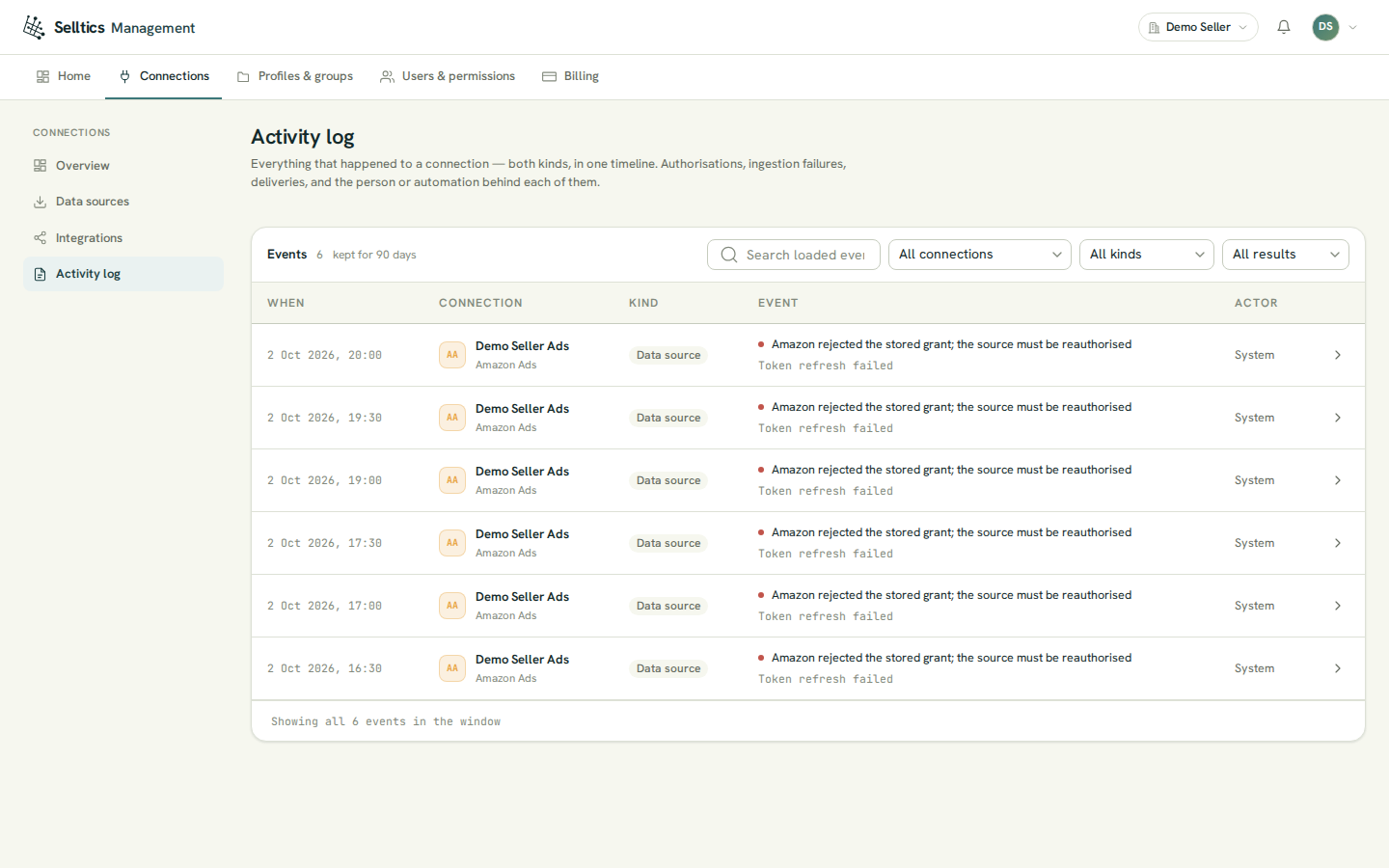
- It loads 25 events at a time (Load more for the next page) and states how long events are kept.
- Connection, kind and result filters ask the server; the search box searches only the events already loaded.
- A row's details show Amazon's error code, the HTTP status, the region and how many profiles were affected — the difference between a grant that is gone and a temporary Amazon error.
Who can do what
Each action needs a role permission:
| Action | Permission |
|---|---|
| Connect, reauthorise, disconnect | Manage Amazon Ads connections or Manage Amazon Selling Partner connections |
| Register profiles | Register profiles & groups |
| Read the activity log | View dashboards & reports |
See Organization.