
Billing
Selltics is prepaid and pay-as-you-go. Each organization has one balance, in US dollars: you top it up by card, and everything Selltics charges is taken from it.
In short
- There is no subscription, no stored card and no automatic charge.
- Nothing tops up the balance on a schedule.
- The only money Selltics ever gives is the one-time $5 signup credit of a new personal organization.
The billing overview
Billing → Overview shows the plan, the balance and what you are being charged for:
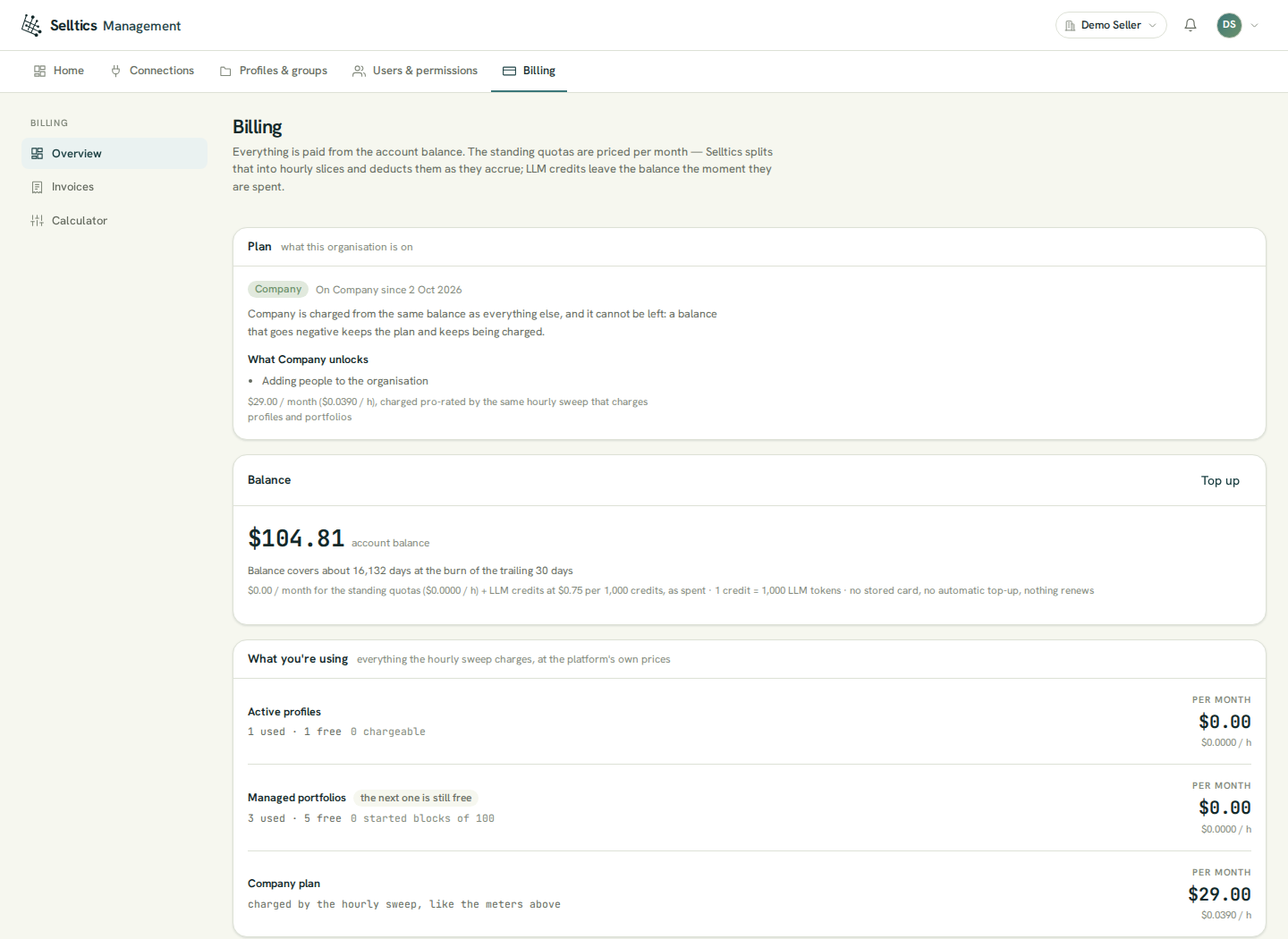
Demo organization
The demo organization in these screenshots is a personal one. The Plan panel lists Adding people to the organisation under what Company unlocks, but a personal organization refuses every invitation on every plan; only a team organization on Company can invite (see Organization).
- Balance — the dollar figure, how many days it lasts at the spend of the last 30 days, and the prices behind it. It can be negative (see below).
- What you're using — one row per standing charge: active profiles, managed portfolios and, on Company, the plan. The next one is still free means the next unit is still inside the free allowance.
- Balance activity — every movement of the balance, newest first, 20 rows a page: top-ups, the signup credit, the hourly charges and AI analyst usage.
A banner appears above the panels when the balance:
- lasts less than 30 days (a notice);
- lasts less than 7 days (a warning);
- or is zero or below.
What costs money
The prices below are the platform's current prices; the Billing screens always show the live ones.
| What | Free allowance | Price |
|---|---|---|
| Active profiles | 1 | $1.00 per profile per month |
| Managed portfolios | 5 | $5.00 per started block of 100 per month |
| Company plan | — | $29.00 per month |
| AI analyst | — | $0.75 per 1,000 credits |
- Managed portfolios are portfolios with at least one portfolio action.
- For the AI analyst, 1 credit = 1,000 LLM tokens.
- Standing charges — profiles, portfolios and the Company plan — are priced per month and taken every hour: the monthly price divided by the hours of the current month (744 in July, 672 in February).
- A started block of portfolios is charged in full: 342 managed portfolios with 5 free is 4 blocks.
- AI analyst usage is taken after each answer, from the number of LLM tokens the answer used. A longer question or a bigger data read uses more tokens and costs more.
- Seats cost nothing: members are free on every plan.
Plans
| Single | Company | |
|---|---|---|
| Price | none of its own | $29.00 a month, taken hourly |
| Metered prices | as in the table above | the same |
| Inviting people | no | yes, in a team organization |
Inviting is described in Organization.
Every organization starts on Single. The only move is Single → Company, with Upgrade to Company on the overview:
- only the owner can press it; for anyone else it is disabled with the reason;
- the balance must be at least the monthly Company price at that moment ($29.00 today);
- nothing is taken at the press — the plan is charged from the next hourly charge on.
No way back
There is no way back: no downgrade exists, and a Company organization whose balance goes negative keeps the plan and keeps being charged.
The plan belongs to the organization, so a person in two organizations can be on two plans.
Topping up
Top up — owner only — opens the amount dialog:
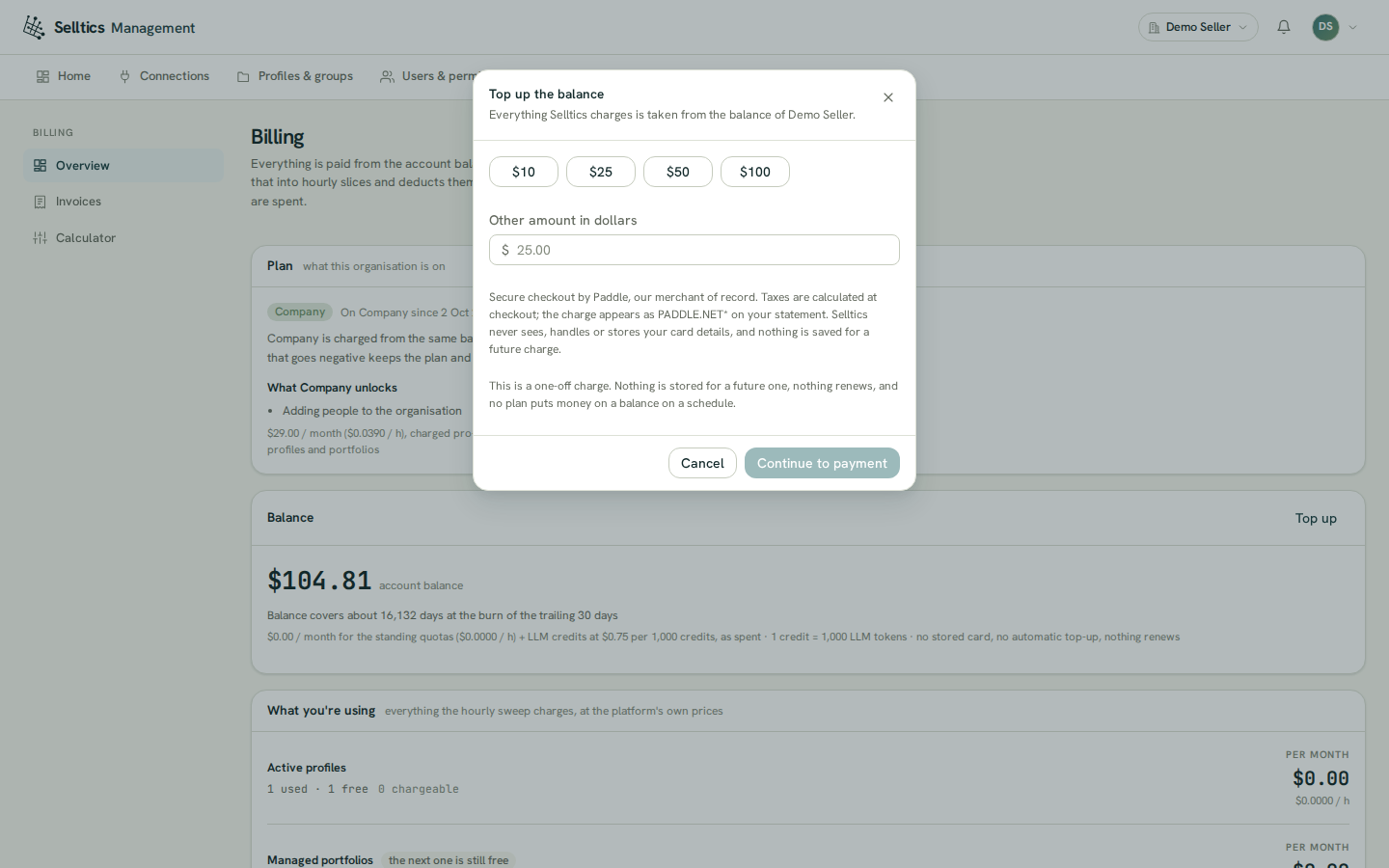
- Any amount from $10 to $10,000, in dollars and cents.
- Continue to payment opens Paddle's checkout over the dashboard.
- Paddle is the merchant of record: it takes the card, collects your billing address and VAT id, adds any applicable tax on top and issues the invoice.
- The charge appears on your statement as PADDLE.NET*. Selltics never sees or stores your card.
After the checkout you return to Billing:
- The balance goes up when Paddle confirms the payment.
- The screen checks every few seconds for up to three minutes and tells you what happened — credited, still needs your bank, failed or expired.
- If it has not settled by then, the screen says so without claiming either outcome.
Invoices and monthly usage
Billing → Invoices lists the money paid in — top-ups, refunds and chargebacks — and, below it, a statement per month of what the balance did:
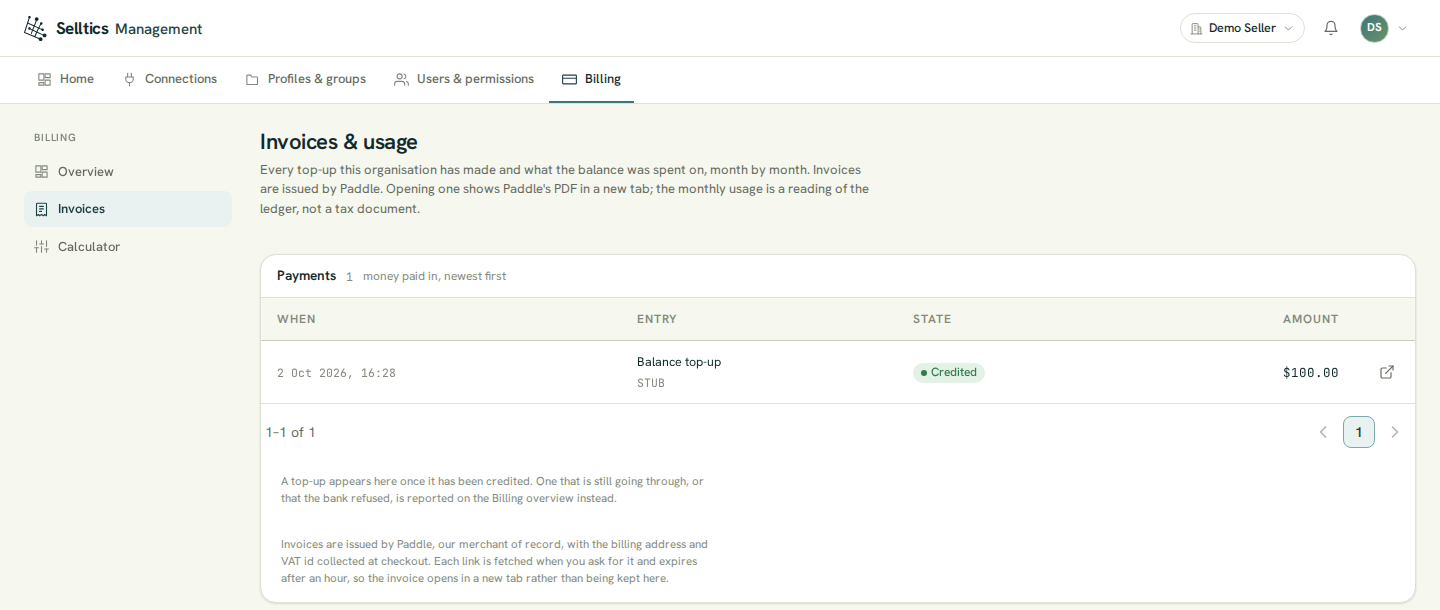
- Invoice on a top-up opens Paddle's invoice PDF in a new tab. The link is fetched when you press it and expires after an hour, so nothing is stored.
- A payment that is still going through is not listed: only credited top-ups are.
Not tax documents
The monthly usage statements are readings of the balance, marked Non-fiscal record; they are not tax documents. Selltics issues no invoice, receipt or credit note of its own.
The calculator
Billing → Calculator prices a configuration before you change anything: a plan, active profiles, managed portfolios, AI credits a month and a starting balance. It uses the live prices and compares the standing charges of your estimate with today's:
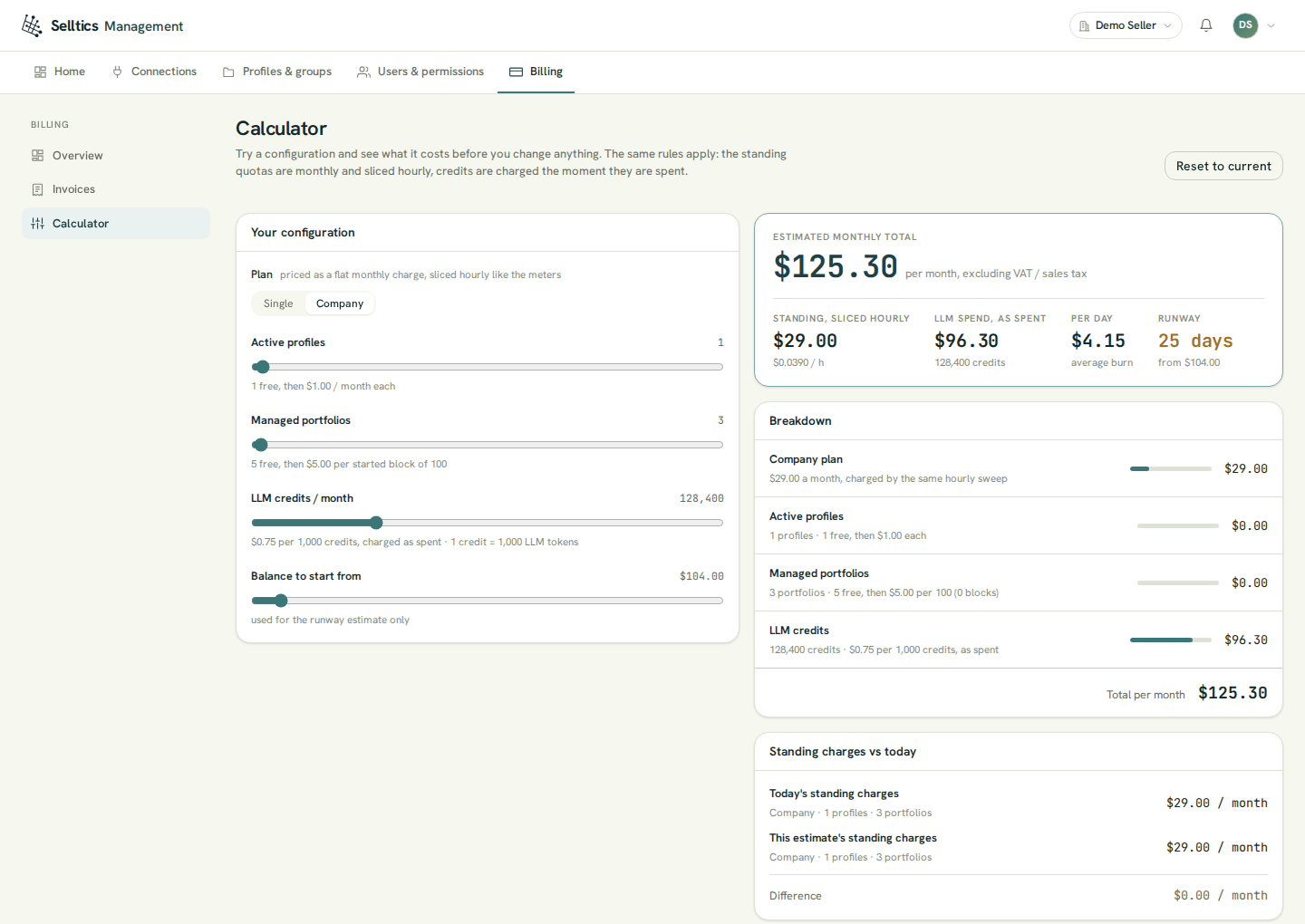
- The credits slider opens at 128,400 credits a month as an example, not as your usage.
- The calculator changes nothing: the plan moves only on the overview.
When the balance runs out
Selltics never suspends an organization and never deletes anything for a low balance. When the balance is zero or below:
- the AI analyst refuses new questions;
- registering a profile, or creating a portfolio action, is refused once you are past the free allowance — inside it, both still work.
Charges continue
Everything already connected keeps running and keeps being charged every hour, so the balance can go negative. A top-up brings it back.
Refunds
- The dashboard has no refund button.
- Under the Terms of Service, balance that has not been used is refundable on request within 14 days of the top-up that funded it, by email.
- Paddle returns the money to the original payment method and the amount is taken off the balance.
- Used balance is not refundable.
Who can do what
- Seeing the balance, the ledger, the invoices and the calculator needs the role permission View the balance & the billing ledger (every seeded role has it).
- Topping up and upgrading to Company are reserved for the owner.
- Every member can see which plan the organization is on.