
Changelog
What changed for Selltics users, newest first, grouped by month. Fixes and internal changes with no visible effect are not listed.
September 2026
New: Amazon Selling Partner
Seller accounts can be connected under Connections → Data sources, and their marketplaces added as profiles — as new profiles, or into the Amazon Ads profile of the same seller account and marketplace. The AI analyst reads the orders of those marketplaces.
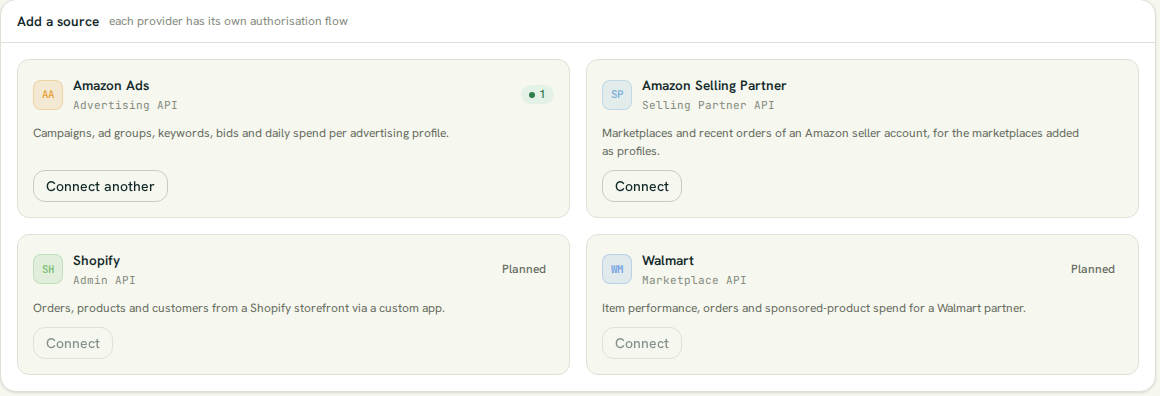
- Selltics' Selling Partner application runs in Amazon's sandbox for now, so orders are Amazon's test orders.
- Nothing to do unless you want to connect a seller account.
New: removing profiles and groups
- A profile can be removed from Profiles & groups, which stops its billing and its data.
- A group can be deleted, and its profiles stay as Ungrouped.
Changed: one Amazon Ads account, one organization
A registered Amazon Ads account stays bound to the organization that registered it, even after the profile is removed; support can move it.
August 2026
New: plans
- Every organization is on Single; Company costs $29.00 a month, taken hourly from the balance, and unlocks inviting people.
- New personal organizations receive a one-time $5 credit.
- Users & permissions is open on every plan; only inviting needs Company.
New: team organizations
New organisation in the switcher creates an organization you can invite colleagues into; personal organizations cannot take invitations.
New: top-ups by card through Paddle
Top-ups go through Paddle, the merchant of record, with Paddle's invoice for each top-up and a monthly usage statement on Billing → Invoices. Balances and prices are in US dollars.
New: self-service Amazon Ads connections
- Connect, reauthorise and disconnect from Connections → Data sources.
- Register profiles right after connecting.
- Follow every connection event in the Activity log.
New: Telegram chats managed in the dashboard
Connections → Integrations links a chat with a one-time link and sets each chat to AI agent, Notifications or Both.
Changed: profile access everywhere
The AI analyst answers only about the profiles the member who linked the chat may see.
New: invitations and the audit log
- Invited people accept on the Selltics sign-in site.
- The audit log under Users & permissions records access and billing events.